Here’s the translation of your text into English: "How to add an article to a lot"
 Here is the translation of your text into English: ---
Buyers are interested in obtaining as much information as possible about a product before making a purchase decision.
Adding an article to the lot description helps them get a more complete understanding of the product, its history, and its value. As a result, this can increase the likelihood of a successful sale and satisfy the needs and expectations of buyers.
How it works on art-picture.ru
Adding an Article
Log in to your Personal Account. In the "My Lots" section, at the bottom right, there is a "Your Articles" button.
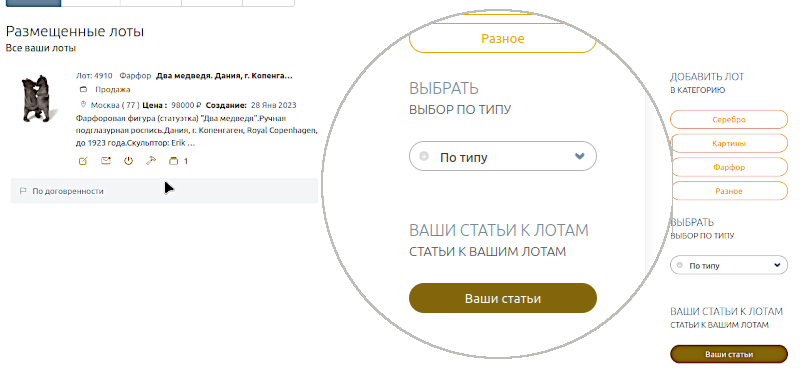
Click on it and you will be taken to the article addition section.
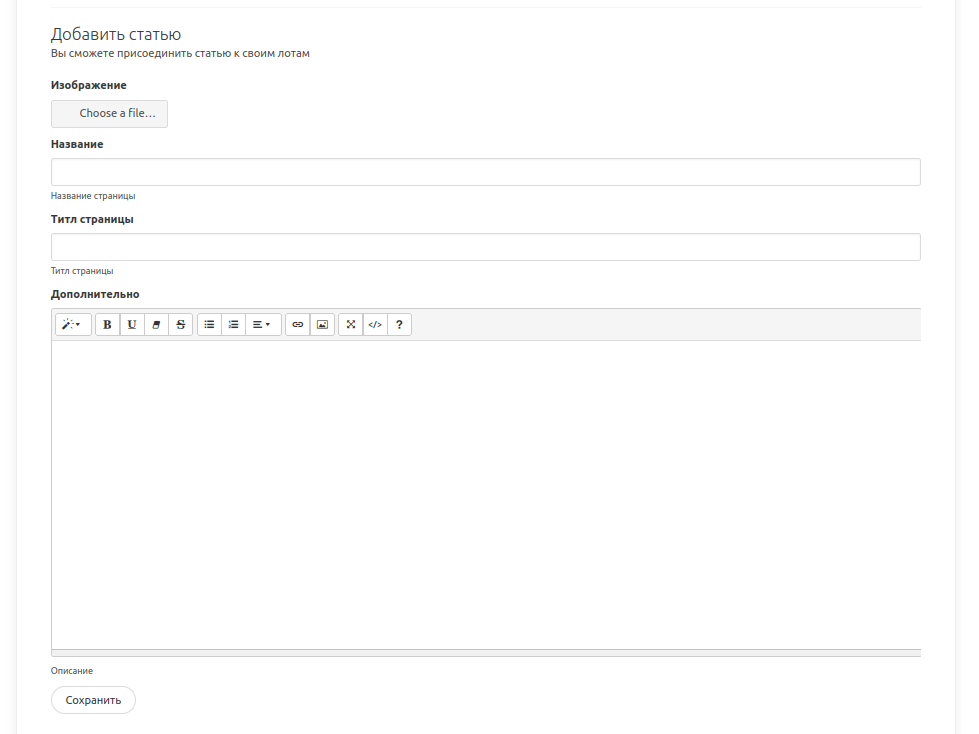
Fill in the necessary information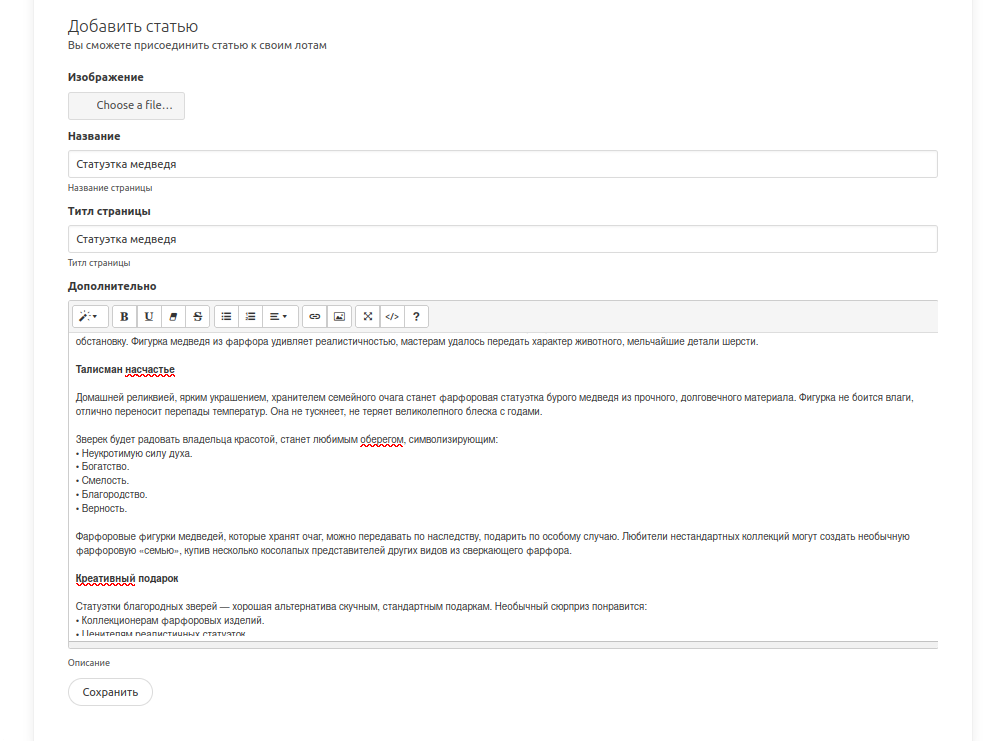
Save it. The newly added article will appear in this section.
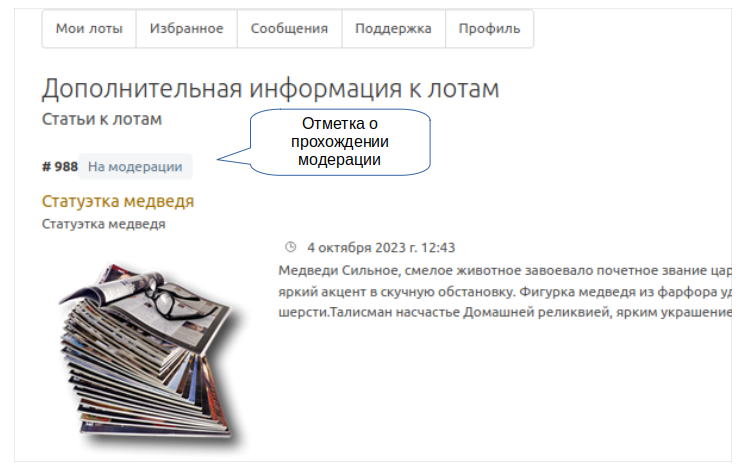
You need to wait until the moderators approve your article.
To attach an article to a lot
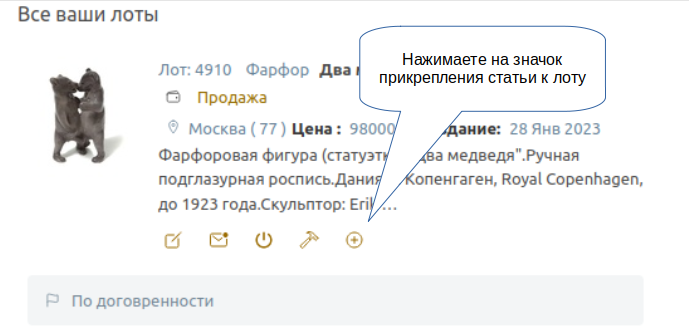
You can check if your article has been added in the description of your lot, as shown in the image above.
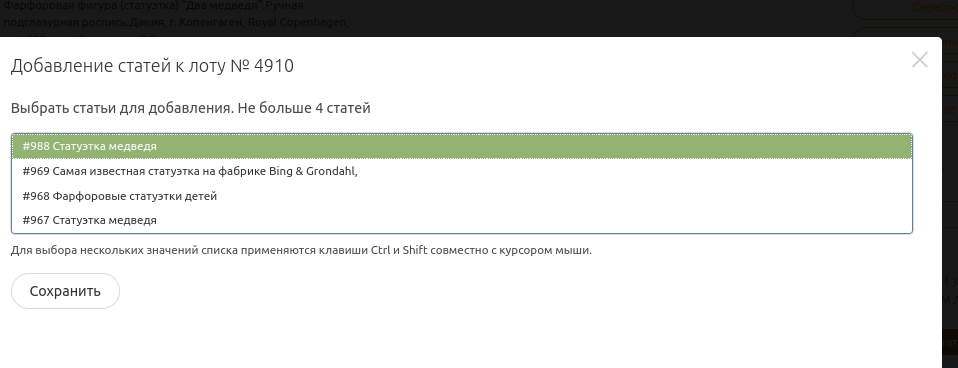
In the pop-up window, select your article (or several—up to four maximum), highlight it by holding the CTRL key on your keyboard, and click save.
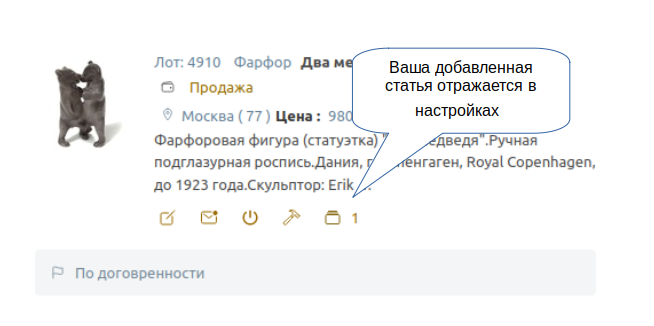
The number with the icon indicates how many articles are attached to the lot.
Removing an Attached Article from a Lot
Next to the selected lot, click the icon, and in the pop-up window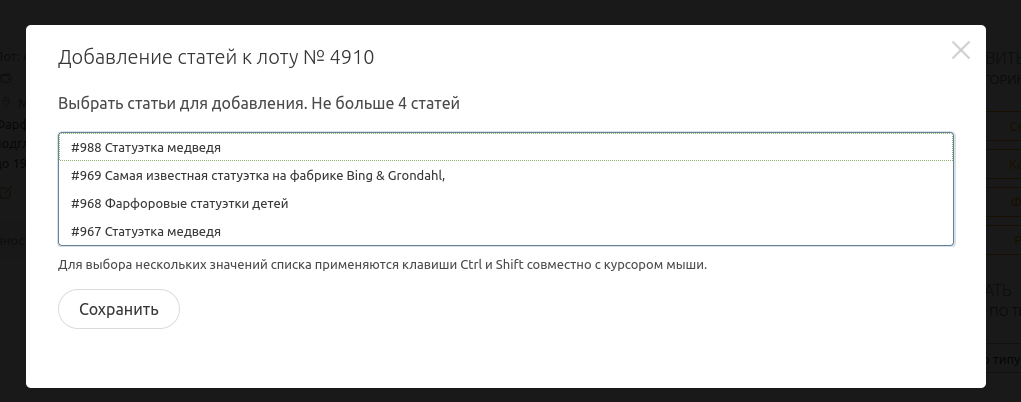
while holding the CTRL key, deactivate the record and save the changes.


